
Equipment / Cameras / Canon EOS R6 V Mirrorless Camera Body
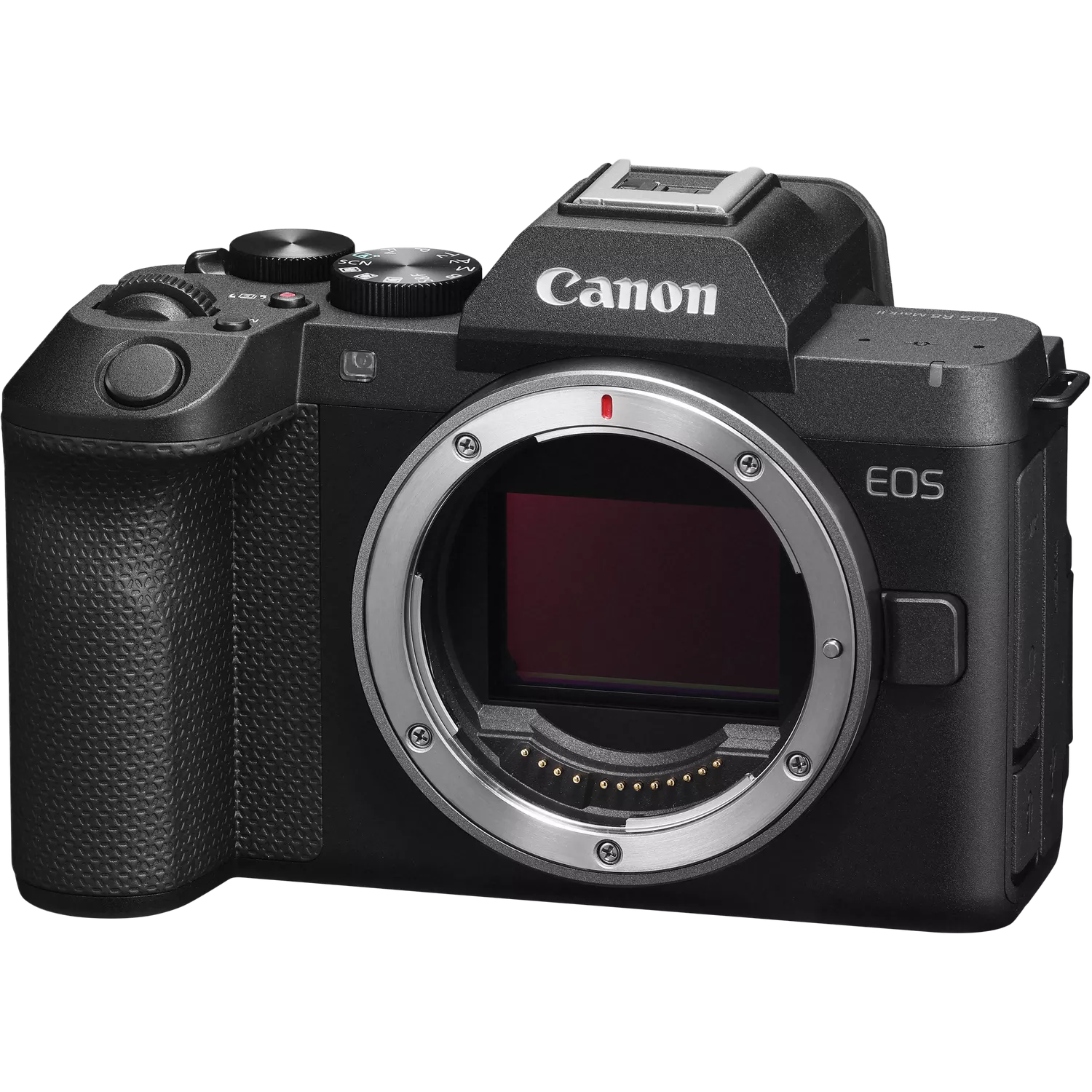
Canon EOS R6 V Mirrorless Camera Body
Bring your vision to life in cinematic quality using the Canon EOS R6 V Mirrorless Camera, a hybrid full-frame camera for content creators who want professional results – without the complexity of cinema gear.
Canon · Product Code: CL-00023
IN STOCKNew
Delivery: Usually dispatched in under 5–7 working days
£2,998.80 INC. VATEX VAT: £2,499.00 · VAT (20%): £499.80
VAT invoice provided upon purchase
Request to OrderProduct information "Canon EOS R6 V body"
The Canon EOS R6 V body is a compact, full-frame mirrorless camera with an RF mount, designed for video-oriented content creation within the EOS/PowerShot V series. Its 32.5-megapixel full-frame CMOS sensor and DIGIC X image processor enable high-quality photo and video recording with professional codecs and flexible recording formats. For video applications, the camera supports 7K RAW , Open Gate , 4K 120p without cropping , and fast frame rates up to 180p in 2K/Full HD . In-body image stabilization allows for smooth handheld shooting, while Dual Pixel CMOS AF II with subject recognition reliably tracks people, animals, and vehicles. Dual card slots, 4-channel audio , UVC/UAC streaming up to 4K 60p , and the multi-accessory shoe further enhance the camera's capabilities for professional production and streaming workflows.
Key features
Compact full-frame mirrorless camera with RF mount
32,5 Megapixel CMOS-Sensor
DIGIC X image processor
In-camera image stabilization up to 7.5 stops in the center of the image
7K RAW video recording
Open Gate RAW und Open Gate MP4
4K DCI / UHD up to 119.9p without crop
2K / Full HD bis 179,8p
Dual Pixel CMOS AF II with subject detection
UVC/UAC-Streaming bis 4K 60p
Two memory card slots: CFexpress Type B and SD UHS-II
4-channel audio support via multi-function accessory shoe
Scope of delivery
1x Canon EOS R6 V body
1x Accessory shoe cover
1x Camera housing cover RFS
1x Carrying strap ER-EOS R6 V
1x Battery charger LC-E6E
1x LP-E6P Battery
1x power cable
Guarantee
2-year manufacturer's warranty
Technical data
Image sensor
Type CMOS-Sensor (35,9 x 23,9 mm)
Pixel efficient ca. 32,5 Megapixel
Total pixels ca. 34,2 Megapixel
aspect ratio 3:2
Tie-pass filter Integrated, fixed
Sensor cleaning EOS Integrated Cleaning System
Color filter RGB primary colors
Sensorshift-IS Yes, up to 7.5 exposure stops in the center of the image and 7.0 stops at the edges (depending on the lens used) 1
Image processor
Type DIGIC X
lens
lens mount RF/RF-S
EF and EF-S lenses can be used with the EF-EOS R mount adapter, the EF-EOS R mount adapter with lens control ring, or the EF-EOS R mount adapter with drop-in filter.
EF-M lenses are not compatible.
Focal length No focal length conversion factor with RF and EF lenses, focal length conversion factor 1.6x with RF-S/EF-S lenses.
Image stabilizer Coordinated compensation OIS X IBIS / Digital
Focus
Type Dual Pixel CMOS AF II
AF system/measuring fields 100% horizontal and 100% vertical with full-area AF or subject recognition 2
AF workspace LW -6,5 – 21 3
The AF Function One-Shot, Servo AF, AI Focus AF
The AF method Automatic: 1,053 available AF positions in automatic selection
AF area selection Manual: Spot AF;
Manual: Single-point AF (the size of the AF area can be changed), 6,097 (photos) / 4,641 (videos) AF positions can be selected;
Manual: AF area expansion by 4 points (top, bottom, left, right)
; Manual: AF area expansion (surrounding points);
Manual: Flexible zone AF 1-3 (all AF points are divided into 9 to a maximum of 999 zones, where both width and height can be changed).
Manual: Whole Area AF
Manual: Spot AF (Whole Area Servo AF Tracking must be disabled)
Manual: Single-Point AF (Whole Area Servo AF Tracking must be disabled)
Manual: AF Area Expansion to 4 Points (Top, Bottom, Left, Right) (Whole Area Servo AF Tracking must be disabled)
Manual: AF Area Expansion to Surrounding Points (Whole Area Servo AF Tracking must be disabled)
AF tracking People (eyes, face, head, body), animals (dogs, cats, birds, and horses), and vehicles (racing cars or motorcycles, airplanes, and trains). Register person priority 4 (up to 10 registered persons)
AF measurement lock By pressing the shutter button halfway or the AF ON button in One-Shot AF mode. With a button configured for AF Stop or AI Servo.
AF assist light Emitted by an integrated LED light or by a defined speedlite flash unit
Manual focus Adjustable via lens
Focus Bracketing Yes, with support for in-camera depth-of-field composition in the JPEG, HEIF, RAW or C-RAW recording formats.
AF fine-tuning Not supported
Exposure control
Measurement methods Real-time multi-segment metering via the image sensor (384 zones).
(1) Multi-segment metering (linkable to any AF metering point)
(2) Partial metering (approx. 6.2% of the central image area)
(3) Spot metering: central spot metering (approx. 2.9% of the central image area) AF-linked spot metering not available
(4) Center-weighted average metering
Brightness measurement range LW -3 – 20 (at 23 °C, ISO 100, with multi-field measurement)
AE storage Auto: AE lock upon focusing; Manual: via the AE Lock button in P, Av, Fv, Tv and M modes
Exposure correction ±3 stops in half or third stops (can be combined with AEB)
Exposure bracketing (AEB) ±3 stops in half or third stops
Anti-flicker recording Not supported
ISO sensitivity 5 Auto 100-64,000 (in third or whole steps)
Expandable to L: 50 or H1: 102,400 6
Closure
Closure type Electronic shutter on the sensor
Electronic lock type Rolling-Shutter
Shutter speeds Electronic shutter: 30-1/16,000 sec. (half or third stops).
Mechanical/electronic first-curtain shutter: 30-1/8,000 sec. (half or third stops), long exposure
(Total shutter speed range. The actual available range depends on the shooting mode.)
trigger Electromagnetic soft trigger
White balance
Type Automatic white balance (ambient priority/white priority), smooth white balance for video recording, daylight, shade, cloudy, tungsten, white fluorescent light, flash, custom, color temperature
Settings custom white balance, WB correction, white balance bracketing, seamless white balance, reactive automatic white balance, fixed white balance
Shift White balance correction:
1. Blue/Amber ±9
2. Magenta/Green ±9
Custom white balance And
White balance series ±3 steps in whole steps. 2, 3, 5 or 7 shots per release.
Blue/Amber or Magenta/Green method.
viewfinder
Type -
LCD-Monitor
Type 7.5 cm (3 inch) TFT color LCD, approx. 1.62 million pixels
Image field coverage approx. 100 %
Viewing angle (horizontal/vertical) approximately 170° vertically and horizontally
coating With anti-dirt coating.
Brightness adjustment Auto, Manual: adjustable in one of 7 steps / Color tone adjustment: 4 settings
Touchscreen operation Capacitive touchscreen with menu functions, quick settings, playback and magnification; AF area selection in photo and movie modes; touch shutter release is possible for photo shooting.
Display options (1) Basic camera settings
(2) Advanced camera settings
(3) Camera settings plus histogram and split-screen display
(4) No information
(5) Quick settings screen
flash unit
Guide number of the internal flash (ISO 100, m) -
Red-eye reduction Not supported
Multifunctional accessory shoe / accessory shoe / flash cable connector Yes No
Compatibility with external flash units Not supported
Recording
Modi Photos: Automatic scene recognition, Special Scene modes (Portrait, Smooth Skin, Panorama, Food, Tripod-free Night Scene), Flexible Auto AE, Program AE, Aperture Priority AE, Shutter Priority AE, Manual and Custom (x3)
Movie: Automatic scene recognition, Movie for close-up demos, Special Scene modes (Smooth Skin Movie, Movie IS Mode, HDR Movies), Auto exposure, Aperture Priority, Shutter Priority, Manual, Slow motion/Time-lapse (S&F) (S&F Auto, S&F Aperture Priority, S&F Shutter Priority, S&F Manual) and Custom (x3)
Special Scene Modi Photos: Portrait, smooth skin, panorama, food, night shot without a tripod.
Movie: Smooth skin, Movie IS, HDR
Creative filter Not supported
Image style Automatic, Standard, Portrait, Landscape, Fine Detail, Neutral, Natural, Monochrome, Custom (x3)
color space sRGB, BT.709, BT.2020, Cinema Gamut
Image processing Brightness adjustment: ±1 step in 1/3-stop increments
. White balance: Ambient priority and white priority are selectable.
Picture style: Fine detail is selectable, sharpness and threshold are selectable.
Clarity: Supported.
Auto exposure optimization: Supported.
High ISO noise reduction: Supported.
Image quality: Supported.
Lens aberration correction: Vignetting correction, distortion correction, digital lens optimizer, chromatic aberration correction, diffraction correction.
Operating mode Single shot, Fast continuous shooting+, Fast continuous shooting, Slow continuous shooting, Self-timer (2 sec. + remote release, 10 sec. + remote release, Continuous shooting)
Series of shots Up to 40 fps with electronic shutter for up to 330 JPEGs (CFexpress or SD card) and 150/140 RAW images (CFexpress or SD card). Pre
-shot captures 20 images in a burst before the shutter button is fully pressed .
Interval recordings Supported
Interval Timer Integrated (recording interval: 1 sec. to 99 h 59 min 59 sec. Number of recordings: 1-9,999 or [unlimited])
File type
Photos RAW 14-bit (12-bit A/D conversion) 9 : RAW and C-RAW (Canon Original RAW 3rd Edition)
JPEG 8-bit: 10 compression options
HEIF 10-bit: 10 compression options
Exif 3.00 10 and DCF format 2.0 compatible
Digital Print Order Format [DPOF] version 1.1 compatible
Simultaneous recording in RAW and JPEG Yes, any combination of RAW + JPEG or RAW + HEIF.
Image size RAW / C-RAW:
3:2 aspect ratio 6960 x 4640, 1.6x (crop) 4320 x 2880
JPEG / HEIF:
3:2 aspect ratio (L, RAW, C-RAW) 6960 x 4640, (M) 4800 x 3200, (S1) 3472 x 2320, (S2) 2400 x 1600
1.6x (crop) (L) 4320 x 2880, (S2) 2400 x 1600
4:3 aspect ratio (L) 6160 x 4640, (M) 4256 x 3200, (S1) 3072 x 2320, (S2) 2112 x 1600
16:9 aspect ratio (L) 6960 x 3904, (M) 4800 x 2688, (S1) 3472 x 1952, (S2) 2400 x 1344
1:1 aspect ratio (L) 4640 x 4640, (M) 3200 x 3200, (S1) 2320 x 2320, (S2) 1600 x 1600
Folder New folders can be created, named, and selected manually.
Video file structure according to XF-HEVC S / XF-AVC S format.
File numbering (1) Continuous
(2) Automatic reset
(3) Manual reset
File naming Photos:
Preset code: unique 4-digit string + 4-digit file number;
2 user presets;
Videos:
To XF-HEVC S / XF-AVC S format;
Camera index, reel number, clip number, codec type, recording start date, recording start time, random ID, 5 user-defined characters, stream number, (proxy)
EOS Movie
Video format RAW Video: 7K (17:9)/ (Open Gate 3:2) 11
MP4 Video: 7K (Open Gate 3:2) / 1.920 x 1.280 (Open Gate 3:2, Proxy) / 4K DCI (17:9) / 4K UHD (16:9) / 2K DCI (17:9) / Full HD (16:9)
Video formats RAW (Standard) (17:9) 6960 x 3672 (29.97, 25, 24, 23.98 fps) 12
RAW (Light) (17:9) 6960 x 3672 (59.94, 50, 29.97, 25, 24, 23.98 fps) 13
Open Gate RAW (Standard/ Light) (3:2) 6,960 x 4,640 (29.97, 25, 24, 23.98 fps) 14
Open Gate MP4 (3:2) 6,912 x 4,608 (29.97, 25, 24, 23.98 fps) 3 types Intra or Long GOP
4K DCI (17:9) 4,096x 2160 (119.9, 100, 59.94, 50, 29.97, 25, 24, 23.98 fps) 3 types Intra or Long GOP
4K UHD (16:9) 3840 x 2160 (119.9, 100, 59.94, 50, 29.97, 25, 23.98 fps) 3 types Intra or Long GOP
2K DCI (17:9) 2,048 x 1,080 (179.8, 150, 119.9, 100, 59.94, 50, 29.97, 25, 24, 23.98 fps) Intra Frame or Long GOP
Full HD (16:9) 1,920x 1080 (179.8, 150, 119.9, 100, 59.4, 50, 29.97, 25, 23.98 fps) Intra Frame or Long GOP
HDR video recording up to 59.94p in the normal modes of 4K DCI/UHD, 2K DCI/UHD, Full HD.
HDR video recording up to 29.97p in the fine modes of 4K DCI/UHD, 2K DCI/UHD, Full HD.
Color sampling (internal recording) RAW (Standard / Light)
XF-HEVC S YCC422 10 Bit 15 H.265/ HEVC YCbCr 4:2:2 10 Bit MP4
XF-HEVC S YCC420 10 Bit H.265/ HEVC YCbCr 4:2:0 10 Bit MP4
XF-AVC S YCC422 10 Bit 16 H.264/ MPEG-4 AVC YCbCr 4:2:2 10 Bit MP4
XF-AVC S YCC420 8 Bit H.264/ MPEG-4 AVC YCbCr 4:2:0 8 Bit MP4
Canon Log Custom image settings:
C1: Canon 709
C2: Canon Log 2
C3: Canon Log 3
C4: PQ
C5: HLG
C6: BT.709 Standard
C7 - C20: User-defined
11 Picture Styles
14 Color Filters
Video length Maximum recording time is 6 hours for videos below 100 fps. (For videos above 100 fps, the maximum recording time is 2 hours.) 17. No 4 GB file limit with exFAT formatted SD cards. The maximum file size is unlimited with CFexpress cards.
High Frame Rate Movie 4K – DCI 4096 x 2160/ UHD 3840 x 2160 at 119.9/ 100 fps - XF-HEVC 10-bit/ XF-AVC 10/ 8-bit
2K/ Full HD – 2048 x 2160/ 1920 x 1080 at 179.8/ 150/ 119.9/ 100 fps – XF-HEVC 10-bit / XF-AVC 10/ 8-bit 18
Slow Motion and Time-Lapse (S&F) Modes - Playback Speed 1 to 180 fps
Single-image extraction Option to extract 8.8 megapixel JPEG still images from 4K DCI videos 19
Option to extract 8.3 megapixel JPEG still images from 4K UHD videos 20
(HEIF only possible if HDR PQ is set)
Bitrate / Mbit/s
Note: This list mainly includes PAL frame rates, but also some NTSC frame rates. 21
CRM:
7K RAW Standard (29.97p): approx. 2,600 Mbit/s
7K RAW Standard (25.00p): approx. 2,240 Mbit/s
7K RAW Standard (24.00p/ 23.98p): approx. 2,150 Mbit/s
7K RAW Light (59.94p): approx. 2,410 Mbit/s
7K RAW Light (50.00p): approx. 2,010 Mbit/s
7K RAW Light (29.97p): approx. 1,210 Mbit/s
7K RAW Light (25p): approx. 1,010 Mbit/s
7K RAW Light (24.00p/ 23.98p): approx. 970 Mbit/s
MP4 4K DCI Fine/ UHD Fine (oversampling): 225 Mbit /
s 50.00p): approx. 150 Mbit/s Standard LGOP (29.97p/ 25.00p/ 24.00p/ 23.98p) : approx . 100 Mbit/ s Quality Intra (29.97p/ 25.00p/ 24.00p/ 23.98p): approx. 600-480 Mbit/s Standard Intra (59.94p/ 50.00p): approx. 900/ 750 Mbit/s Standard Intra (29.97p/ 25.00p/ 24.00p/ 23.98p): approx. 450-360 Mbit/s Light Intra (59.94p/ 50.00p): approx. 600/ 500 Mbit/s Light Intra (29.97p/ 25.00p/ 24.00p/ 23.98p): approx. 300-240 Mbit/s Standard Intra (59.94p/ 50.00p): approx. 250 Mbit/s Standard LGOP 29.97p/ 25.00p/ 24.00p/ 23.98p: approx. 150 Mbit/s MP4 4K DCI/UHD Normal (without oversampling) : approx . 225 Mbit/s standard LGOP (29.97p/ 25.00p/ 24.00p/ 23.98p) : approx. 135 Mbit/ s (59.94p/ 50.00p): approx. 150 Mbit/s Standard LGOP (29.97p/ 25.00p/ 24.00p/ 23.98p) : approx . 100 Mbit/s High Quality Intra (29.97p/ 25.00p/ 24.00p/ 23.98p): approx. 600-480 Mbit/s Standard Intra (119.9p/ 100.00p): approx. 1,800/ 1,500 Mbit/s Standard Intra (59.94p/ 50.00p): approx. 900/ 750 Mbps Standard Intra (29.97p/ 25.00p/ 24.00p/ 23.98p): approx. 450-360 Mbit/s Light Intra (119.9p/ 100.00p): approx. 1,200/ 1,000 Mbit/s Light Intra (59.94p/ 50.00p): approx. 600/ 500 Mbit/s Light Intra (29.97p/ 25.00p/ 24.00p/ 23.98p): approx. 300-240 Mbit/s Standard Intra (119.9p/ 100.00p): approx. 500 Mbit/s Standard Intra (59.94p/ 50.00p): approx. 250 Mbit/s Standard LGOP 29.97p/ 25.00p/ 24.00p/ 23.98p: approx. 150 Mbit/s MP4 2K DCI / Full HD:
XF-HEVC S YCC422 10 Bit Standard LGOP
179,8p/ 150p: ca. 150 Mbit/s
119,9p/ 100p: ca. 100 Mbit/s
59,94p/ 50,00p/ 29,97p/ 25,00p/ 24,00p/ 23,98p: ca. 50 Mbit/s
XF-HEVC S/ XF-AVC S YCC420 10 Bit / 8 Bit Standard LGOP
179,8p/ 150p: ca. 105 Mbit/s
119,9p/ 100p: ca. 70 Mbit/s
59,94p/ 50,00p/ 29,97p/ 25,00p/ 24,00p/ 23,98p: ca. 35 Mbit/s
XF-AVC S YCC422 10 Bit
Standard Intra 179,8p/ 150p: ca. 900/ 750 Mbit/s
Standard Intra 119,9p/ 100p: ca. 600/ 500 Mbit/s
Standard Intra 59,94p/ 50,00p: ca. 300/ 250 Mbit/s
Standard Intra 25,00p/ 24,00p/ 23,98p: ca. 150-120 Mbit/s
Standard LGOP 179,8p/ 150p: ca. 150 Mbit/s
Standard LGOP 119,9p/ 100p: ca. 100 Mbit/s
Standard LGOP 59,94p/ 50,00p/ 25,00p/ 24,00p/ 23,98p: ca. 50 Mbit/s
MP4 2K DCI/ UHD (Proxy):
XF-HEVC S/ XF-AVC S YCC420 10/ 8 Bit
Standard LGOP 59,94p/ 50,00p/ 25,00p/ 24,00p/ 23,98p: ca. 16 Mbit/s
Light LGOP 59,94p/ 50,00p/ 25,00p/ 24,00p/ 23,98p: ca. 9 Mbit/s
Sub Movies 4K DCI (Oversampling)
XF-HEVC S YCC422 10 Bit
Standard LGOP (59,94p/ 50,00p): ca. 225 Mbit/s
Standard LGOP (29,97p/ 25,00p/ 24,00p/ 23,98p): ca. 135 Mbit/s
XF-HEVC S YCC420 10 Bit
Standard LGOP (59,94p/ 50,00p): ca. 150 Mbit/s
Standard LGOP (29,97p/ 25,00p/ 24,00p/ 23,98p): ca. 100 Mbit/s
XF-AVC S YCC422 10 Bit
Light Intra (59,94p/ 50,00p): ca. 600/ 500 Mbit/s
Light Intra (29,97p/ 25,00p/ 24,00p/ 23,98p): ca. 300-240 Mbit/s
Standard LGOP (59,94p/ 50,00p): ca. 250 Mbit/s
Standard LGOP (29,97p/ 25,00p/ 24,00p/ 23,98p): ca. 150 Mbit/s
XF-AVC S YCC420 8 Bit
Standard LGOP (59,94p/ 50,00p): ca. 150 Mbit/s
Standard LGOP (29,97p/ 25,00p/ 24,00p/ 23,98p): ca. 100 Mbit/s
Recording to two memory cards Yes, recording to both cards, Relay, Proxy or Sub Movie
Microphone - Internal stereo microphone (48 kHz, 24/16 bit x 2 channels)
- External microphone via the 3.5 mm stereo mini-jack connector (3-pole)
- External digital microphone via multi-function accessory shoe
4-channel audio support (the multi-function accessory shoe takes priority and can be combined with either the external or the internal microphone) 22
HDMI-Monitor Three different display options when connected via HDMI: 23
- Output only to external monitor (output of image and recording information; images are recorded on the memory card)
- Output to external monitor and camera display (when recording simultaneously to an external recorder and the camera memory card, the camera display shows the images and recording information)
- Output to external monitor and camera display (when recording simultaneously to an external recorder, the HDMI display shows the images and recording information)
HDMI output 7K RAW (Standard) ProRes recording via HDMI 24
4K (DCI) 59.94p/ 50p/ 29.97p/ 25p/ 24p/ 23.98p,
4K (UHD) 59.94p/ 50p/ 29.97p/ 25p/ 23.98p,
Full HD 59.94p/ 60i/ 59.94i/ 50p/ 50i/24p
480p 59.94p
576p 50p
Uncompressed YCbCr 4:2:2, 10-bit, audio output via HDMI is also possible
Streaming via HDMI is also possible 25
Focus Dual Pixel CMOS AF II with face and eye detection and tracking (people, animals and vehicles), Movie Servo AF, manual focus
ISO Auto: 100-25,600, H: up to 102,400 (when custom image settings are disabled)
Manual: 100-25,600, H: up to 102,400 (when custom image settings are disabled)
Other functions
Network options Communication functions:
- Via Wi-Fi: FTP, FTPS, EOS Utility, image.canon, Camera Connect, streaming services, Content Transfer Professional, Camera Control API
- Via Bluetooth: Camera Connect, BR-E1
- Via USB: EOS Utility, Camera Connect, Content Transfer Professional, video calls/streaming (UVC/UAC) 4K 60p, 4K 30p, Full HD 60p and Full HD 30p
Simultaneous use of communication functions:
- FTP (Wi-Fi) + EOS Utility (USB)
Metadata tag Copyright information (option can be set in the camera)
Image rating (0-5 stars)
IPTC data (registered via EOS Utility)
IPTC data (via CTP app)
IPTC IIM (via CTP app)
NewsML-G2 (News Metadata) (via CTP app)
Image transfer with title (the title must be registered with EOS Utility)
Display / lighting -
Dust/splash water protection And 26
Tonememo No
Intelligent orientation sensor And
Magnifying function during playback 1.5x to 10x in 15 steps
Playback formats (1) Single image
(2) Single image with shooting data (2 levels)
Basic shooting information (shutter speed, aperture, ISO and image quality)
Detailed shooting information (shutter speed, aperture, ISO, metering, image quality and file size), lens information,
brightness and RGB histogram, waveform monitor (only for video recording), white balance, picture style, color space and noise reduction, lens correction, GPS information, IPTC information
(3) 4 thumbnails
(4) 9 thumbnails
(5) 36 thumbnails
(6) 100 thumbnails
(7) Image jump (1, 10, or custom 1-100 images, by start of continuous shooting, by date, by folder, videos only, photos only, protected shots, by rating)
(8) Video editing
(9) RAW processing
(10) Rating
Slideshow (presentation) Image selection: all images, by date, by folder, videos, photos, protected images, by rating.
Playback intervals: 1, 2, 3, 5, 10 or 20 seconds.
Repeat: On / Off
Histogram display Brightness / RGB
Overexposure warning And
Delete image Select and delete images / Select range / All images in folder / All images on map / All found images (image search only)
Fire protection Protect selected images / Select area / All images in folder / Remove protection from all images in folder / All images on map / Remove protection from all images on map / All found images / Remove protection from all found images (image search only)
Self-timer 2 or 10 seconds lead time.
Menu categories (1) Recording
(2) AF Menu
(3) Playback Menu
(4) Communication Function (Network)
(5) Function Setting (Setup Menu)
(6) Custom Control
(7) Custom Functions
(8) My Menu
Menu languages 29 languages: English, German, French, Dutch, Danish, Portuguese, Finnish, Italian, Norwegian, Swedish, Spanish, Greek, Russian, Polish, Czech, Hungarian, Vietnamese, Hindi, Romanian, Ukrainian, Turkish, Arabic, Thai, Simplified Chinese, Standard Chinese, Korean, Malay, Indonesian and Japanese
Firmware update Updates are possible via the Camera Connect app or EOS Utility (camera, lens, external speedlight, BLE remote control, lens adapter, power zoom adapter, multi-function shoe compatible accessories)
interfaces
Computer SuperSpeed Plus USB 3.2 Gen 2 USB Type-C® connector
WLAN WLAN (IEEE 802.11ac) (5 GHz / 2.4 GHz) 27 , with Bluetooth 5.1 support
Other HDMI standard (Type A), external microphone input (stereo mini-jack), headphone jack (stereo mini-jack), E3 interface (remote release), multi-function accessory shoe
Direct printing
Canon printer Not supported
PictBridge Not supported
memory
Type 1x CFexpress Type B maximum capacity 8TB (compatible with CFexpress 2.0 and VPG400)
1 x SD/SDHC/SDXC and UHS-II
Supported operating systems
PC Windows 11
Macintosh macOS 15, macOS 14, macOS 13
Software
Image processing Digital Photo Professional version 4.21.10 or higher,
Digital Photo Professional Express App version 1.12.10 or higher.
Other EOS Utility Ver. 3.20.10 or higher, Picture Style Editor Ver. 1.32.10 or higher, EOS Lens Registration Tool, EOS Web Service Registration Tool, Canon Camera Connect App Ver. 3.5.11 or higher (iOS/Android), Content Transfer Professional App (iOS/Android).
power supply
Battery Lithium-ion battery LP-E6P (included) 28
Battery range With LCD: approx. 640 shots (at 23 °C) 29
Battery level indicator
6 steps
Power saving mode - Display dimmer: 5 sec / 10 sec / 15 sec / 20 sec / 25 sec / 30 sec / Disable
- Display off: 5 sec / 15 sec / 30 sec / 1 min / 3 min / 5 min / 10 min / 30 min / Disable
- Automatic off: 15 sec / 30 sec / 1 min / 3 min / 5 min / 10 min / 30 min / Disable
- Viewfinder off: 1 min / 3 min / Disable
Power supplies & battery chargers USB power adapter PD-E1, USB power adapter PD-E2, DC coupler DR-E6P 30 , battery charger LC-E6E, car charger CBC-E6
Accesories
Wireless File Transmitter -
Camera bags / carrying straps Wrist strap E2, protective cover PC-E2, protective cover PC-E1, rain cover ERC-R5 L, rain cover ERC-R5 S
Objective RF and RF-S lenses (EF & EF-S via adapter) 31
lens adapter EF-EOS R adapter, adapter with lens control ring EF-EOS R, adapter with drop-in filter EF-EOS R
flash unit -
Akkugriff Not supported
Remote trigger Wireless remote control BR-E2, wireless remote control BR-E1, remote release RS-60E3, remote release RS-80E3, timer release cable TC-80N3 (with RA-E3)
Other Stereo directional microphone DM-E1D, stereo microphone DM-E100, directional microphone DM-E1, interface cable IFC-400U, interface cable IFC-100U, hot shoe extension cable OC-E4A, camera accessory shoe cover ER-SC2, smartphone adapter AD-P1, multi-function accessory shoe adapter AD-E1, grip tripod HG-100TBR 32 , grip tripod HG-200 TBR 33 , GPS receiver GP-E2 34
General Information
Housing material Magnesium alloy housing and chassis with polycarbonate components reinforced with fiberglass
Operating environment Approx. 0–40 °C, max. 85% relative humidity
Mass 141,8 x 83,3 x 79,7 mm
Weight approx. 598 g (688 g with CFexpress card and battery)
Notes
The stabilization performance in roll, yaw and pitch directions is based on CIPA 2024 standard with an RF 24-105mm F2.8 L IS USM Z at 105 mm focal length.
The available AF area depends on the lens used. Details on supported lenses can be found under [additional information] for the [EOS R6 V] here: "https://cam.start.canon/".
Requirements for autofocus in low light: lens with an aperture of f/1.2, central AF point, One-Shot AF, at 23°C, ISO 100. Excludes RF lenses with DS coating (Defocus Smoothing).
Only available for photos taken with an electronic shutter. Recognition accuracy may decrease if the person on the display is too small, part of the person is obscured, or several people are standing close together.
Recommended exposure index
Recommended exposure index. Extended ISO sensitivities are not available when [HDR Shooting (PQ): HDR PQ] is selected.
According to Canon test standards using CFexpress/SD card and Servo AF; only RF lenses and some EF lenses can be used for continuous shooting at maximum speed. Continuous shooting speed may be reduced by lens, shutter speed, aperture, flash use, subject conditions, and brightness (e.g., when shooting in a dark location). Continuous shooting speed is also reduced when flicker is detected, even if the anti-flicker function is disabled. Further details can be found in the user manual at "https://cam.start.canon".
Pre-shooting requires lenses that support the maximum continuous shooting speed. You can check compatibility here: https://cam.start.canon/en/H001/supplement_0080.html
14-bit A/D conversion cannot be recorded because mechanical/electrical first-curtain shutter is not available.
Only the data from the main version is supported (other data remains unchanged compared to Exif 2.31).
Recording is only possible when using a CFexpress card.
The HDR Movie mode is not available when recording in RAW format.
The HDR Movie mode is not available when recording in RAW format.
The HDR Movie mode is not available when recording in RAW format.
Cannot be recorded as a proxy video.
Cannot be recorded as a proxy video.
If the internal camera temperature is too high, the maximum recording time will be reduced.
With the [High Frame Rate: Disabled] setting, video is recorded with sound and played back at the actual speed. With the [High Frame Rate: Enabled] setting, no sound is recorded, and the video is played back in slow motion at 29.97 fps (NTSC) / 25.00 fps (PAL). Only exFAT-formatted cards can be used for recording (recording to FAT32-formatted cards is not possible).
Extracting individual frames is not possible with RAW videos or video recordings with the [Custom Image Setting: Enabled] setting enabled. Resizing or cropping images extracted from a video is not possible in-camera.
Extracting individual frames is not possible with RAW videos or video recordings with the [Custom Image Setting: Enabled] setting enabled. Resizing or cropping images extracted from a video is not possible in-camera.
The product supports significantly more recording formats/frame rates; the complete list is available in the user manual at “https://cam.start.canon”.
Four-channel input via the internal microphone and the external microphone is not possible when a combination of internal microphone and external microphone is connected to the input of the external microphone.
HDMI-CEC is not supported. If the device connected via HDMI does not support the camera's output format, images will be displayed at a lower resolution (depending on the device's specifications, display may not be possible at all).
7K ProRes RAW: Information on compatibility with external recorders can be found on the manufacturer's website for the respective external recorders.
Appropriate software is required on the computer for this.
Although the camera is designed to be dustproof and splashproof, this cannot completely prevent dust or water droplets from entering the camera. To ensure a weatherproof seal, the included accessory shoe cover should be used, unless a weatherproof accessory has been inserted into the multi-function accessory shoe.
The use of WLAN (Wi-Fi) may be restricted in certain countries or regions.
An LP-E6 battery cannot be used. The use of an LP-E6P battery is recommended. When using LP-E6NH/LP-E6N batteries, network functions (Wi-Fi/LAN) and accessories for the Multi-Accessory Shoe that require a high power supply from the camera cannot be used. Pre-shoot continuous shooting, HDMI RAW output, and Dual Shooting (photo & video) are not available. Continuous shooting speed may be reduced. During video recording, resolution, image quality, and frame rate are limited. Details can be found under [Additional Information] for the EOS R6 V on the Canon website (https://cam.start.canon).
Based on CIPA test guidelines and using the battery supplied with the camera, unless otherwise noted. In power-saving mode. With a new, fully charged LP-E6P battery. The number of available shots may vary significantly depending on the shooting environment. Fewer shots may be possible with a compatible accessory attached to the Multi-Accessory Shoe, as the camera powers the accessory. LP-E6NH and LP-E6N batteries can also be used, but fewer shots will be possible. When using two LP-E6P batteries in a BG-R20/BG-R20EP battery grip, the number of available shots is approximately double that shown in the table above.
The DR-E6 DC coupler cannot be used. The combination of DR-E6P and PD-E1 cannot be used. The ACK-E6 power adapter cannot be used.
The RF-S 3.9mm F3.5 STM DUAL FISHEYE and RF-S 7.8mm F4 STM DUAL lenses are excluded.
Please note: The total weight of the camera, lens, microphone, and other accessories should not exceed 1 kg. When using an external microphone, the sound transmission may be disrupted by the lens, depending on the lens used, and the sound may then not be captured correctly.
Please note: The total weight of the camera, lens, microphone, and other accessories should not exceed 1 kg. When using an external microphone, the sound transmission may be disrupted by the lens, depending on the lens used, and the sound may then not be captured correctly.
Canon Multifunction Accessory Shoe Adapter AD-E1 required.
Terms & Conditions
You May Also Like

Secure Packaging
Safe and insured worldwide shipping
Worldwide Delivery
We ship to UK, EU and Middle East
Quality Checked
All equipment tested before sale
14-Day Returns*
14-day return policy on eligible items
* Terms and conditions apply.